
An ARK: Survival Ascended mod added in MOD_IDS stays invisible until the server has been restarted. In the end, your server loads the CurseForge mods in the chosen order, your players download them when they connect, and you know what to do if an ID blocks startup.
Check what you get before installing ARK ASA mods
ARK: Survival Ascended does not load mods from the Steam Workshop. The server queries CurseForge and expects numeric project IDs. This is the classic trap for administrators coming from ARK: Survival Evolved. A Steam Workshop link, an old ASE ID, or a mod name copied from Discord does not give anything to load.
At startup, the server downloads the declared mods, then forces them on players when they connect. The list goes in MOD_IDS, with commas between the IDs. Order matters. The first ID loads first, then the second, then the rest. For a stack with a library, a building mod, and an extension, put the library in position 1. Otherwise the main mod may look for a dependency that does not exist yet.
Keep three limits in mind before promising a modded evening. A light mod often weighs 50 to 300 MB. A large map or creature conversion exceeds 1 GB. Beyond 5 to 8 GB of cumulative mods, the first startup takes longer and some players stay stuck on download if their client is short on space. On the server side, keep at least 10 GB free before testing a new list. If space runs out during installation, the server can restart without loading all the mods.
Find the CurseForge IDs of ARK Survival Ascended mods
The correct ID is on the mod's CurseForge page, not in its title. Open the ARK: Survival Ascended mod page, check that the game shown is ARK: Survival Ascended, then look for the Project ID field. It is a number, for example 929420 or 930494. Copy only this number. Do not copy the full URL, the file name, or a version ID.
- Open CurseForge and filter on ARK: Survival Ascended. A mod displayed for ARK: Survival Evolved will not work on ASA, even if its name is the same as before.
- Open the mod page. Check the update date. A mod that has not been updated for several months breaks more often after a server patch.
- Copy the Project ID. If the page shows a File ID, ignore it. The server expects the project, not a specific file.
- Note the dependencies. Some mods require a mandatory library. It goes before the main mod in the list.
Do not mix sources. A list taken from an old ASE server often contains 10-digit Workshop IDs. ASA CurseForge Project IDs are also numeric, but they do not point to the same service. A bad copy-paste causes a startup error. In game, you will not necessarily see a clear warning.
Prepare the server before changing MOD_IDS
Stop the server before changing the list. Modifying a variable while the process is running does not reload any mod. ARK reads the list at startup, contacts CurseForge, downloads the missing files, then launches the map. If you add a mod while TheIsland_WP has been running for 6 hours, your players see nothing before the next full restart.
Make a backup before the first test, especially with structure, inventory, or creature mods. Protect the Saved folder, the map backup, and the configuration files. On ASA, a map backup often weighs between 200 MB and 2 GB depending on the age of the world and the number of bases. Keep at least one copy outside the active folder. Restoring from the same disk is of little use if an automatic cleanup has already deleted the files.
Also check the server version. After a major ARK update, wait for the mods you use to publish a compatible version. When the client is on 1.0.x and the server restarts with an older mod, the player often sees a loading screen that lasts. In the logs, you find a mod loading error. Restarting again does not fix a mod that has not been updated yet.
Enter MOD_IDS in the panel or the launch line
The list fits on a single line. Put the IDs separated by commas, with no spaces. The space after a comma seems harmless, but some scripts keep it in the value and send an ID with an extra character. The server does not correct your input.
| Case | Value to enter | Why |
|---|---|---|
| One mod | 929420 | The server downloads one project and loads it at the next startup. |
| Three mods with no dependency | 929420,930494,931874 | The comma separates the projects. The first loads before the second. |
| Library then main mod | 930000,929420 | The dependency goes first. The opposite often causes a load failure. |
| No mod | empty field | The server starts in vanilla after a restart. Removed mod items disappear from the world. |
If your hosting exposes a variable, it is often called MOD_IDS. Paste the list, save, then restart. If you manage the launch line yourself, keep the same principle, the value passed to the server contains the CurseForge Project ID, in the desired order.
On the Starmine panel, this field avoids touching the launch line. You paste the CurseForge IDs, the panel keeps the order, then the restart starts the mod download.
Restart the ARK server and check the CurseForge download
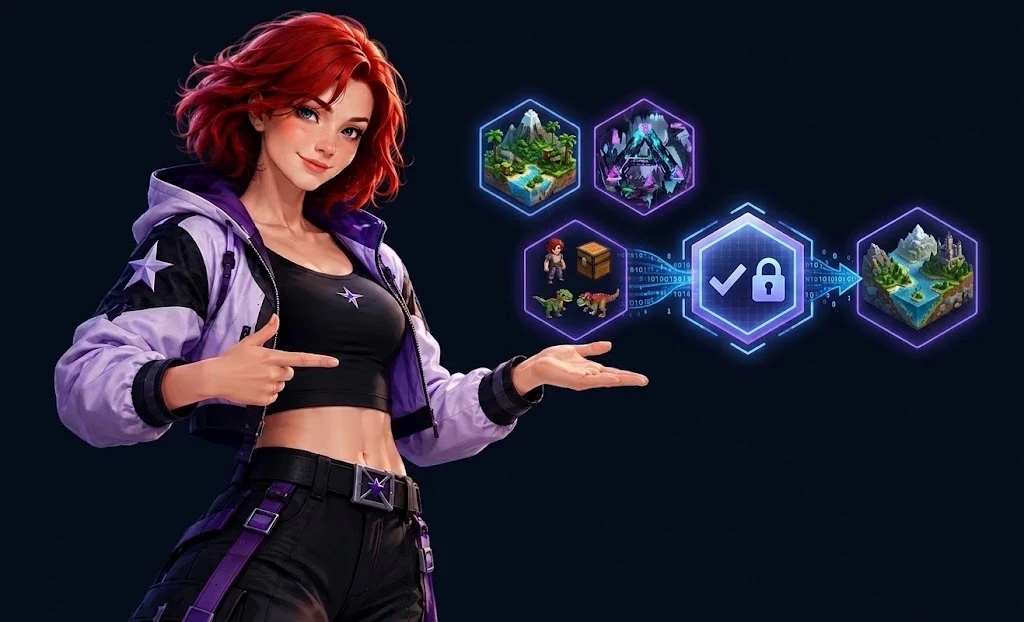
A mod that is added only appears after a restart. A simple saveworld is not enough. The server must stop, read the list again, then launch the mod manager before opening the game port. On ARK ASA, allow 2 to 10 minutes for a small list. A first install with 4 GB of mods can take 15 minutes, especially when CurseForge responds slowly.
- Stop the server and wait until the process is really off. A clean shutdown writes the map save before closing.
- Save the MOD_IDS value. Check each comma again. A duplicate does nothing and makes the check longer.
- Start the server. Do not click Start three times if the console stays silent during the download.
- Watch the logs. Look for a line that contains Downloading mod, Installing mod, or Mounted mod depending on the server version and the launch script.
- Connect a client. The player should see the mod download before joining the map if their client does not already have it.
Do not stop at the server being present in the public list. A server can respond on port 7777 and fail on a mod right after. Join the game, place a mod item, or spawn a test creature if the mod allows it. If the item is still there after another restart, the save does contain the mod data.
Fix common errors with a wrong ARK mod_id
A wrong ID shows up at startup, not when the player clicks join. The server requests the project from CurseForge. If the ID does not exist, points to another game, or is no longer available, the download fails. Depending on your host's script, the server either keeps running without that mod or restarts in a loop. Both cases exist. The second one ruins the evening.
| Exact message or fragment to look for | Likely cause | Fix |
|---|---|---|
| Project not found | Nonexistent ID, Steam Workshop ID, or Project ID copied incorrectly. | Go back to the CurseForge ASA page and copy the Project ID again. |
| Failed to download mod | CurseForge unavailable, mod removed, or disk space full. | Try again after 5 minutes, then check free space. With less than 2 GB free, stop testing. |
| Mod version mismatch | The client and the server do not have the same mod version. | Restart the server to force the check, then relaunch the client. |
| Connection Timeout | The player times out during the download or loading. | Test with one mod first, then add the others one by one. |
Do not fix three things at once. Change one ID, restart, then read the logs. A list of 12 mods with 1 wrong ID can quickly look like a general outage. In practice, the server often gets stuck on the first invalid mod in the load order. Start with the first identifier in the list, then move line by line.
Rolling back after an ARK mod breaks the server
Removing a mod deletes its items, structures, engrams, and sometimes its creatures on the next save load. A base built with a structure mod can lose walls, storage boxes, and their contents.
Clean rollback is done on two levels. To cancel a test without touching the world, restore the backup made before the mod was added. To remove only the mod, delete its identifier from the list, restart, then accept the loss of linked elements. The first method puts the server back exactly as it was before the test. The second keeps the progress made since then, but removes everything that depends on the mod.
- Stop the server. Do not remove a mod while players are connected.
- Copy the current value of MOD_IDS into a text file. It will be useful if you need to go back to the broken list to get a diagnosis.
- Remove the identifier of the faulty mod, without leaving two commas in a row. A list such as 929420,,931874 is an invalid value.
- Restart and check the logs. If the server starts, enter the game and verify the areas that used the mod.
- If the world is damaged, stop everything and restore the backup from before the test. The longer you leave it running, the more you overwrite useful backups.
A decoration mod is often removed with little damage. A mod that changes stacks, dinos, engrams, or core structures affects the save. Test these mods on a copy of the server with 2 or 3 players before deploying them to a community of 30 people. It is less glamorous than a direct production rollout, but it avoids rebuilding a base at midnight.
Guides
Installing ARK ASA mods on the player side
In general, players do not install anything manually. The ARK: Survival Ascended client downloads the requested CurseForge mods from the server when connecting. If the download gets stuck, the player relaunches the game and checks the available disk space on the client side.
Steam Workshop mods on ARK: Survival Ascended
No. ARK: Survival Ascended uses CurseForge for server mods. The old Workshop IDs from ARK: Survival Evolved do not match the CurseForge ASA Project ID.
Mod visible on CurseForge but missing from the server
The server loads the list only at startup. Check that the identifier is in MOD_IDS, check the commas, then fully restart the server. Then read the download logs before testing in game.
Order of ARK ASA mods
Yes, the order changes the loading. The first identifier in the list is loaded first. Place the libraries and dependencies before the mods that use them, then add the extensions after the main mod.