
The console is the window into what your server is actually doing: every start-up, every player who joins, every plugin that loads, and every error leaves a line there. It is the first place to look when something seems off.
The live console
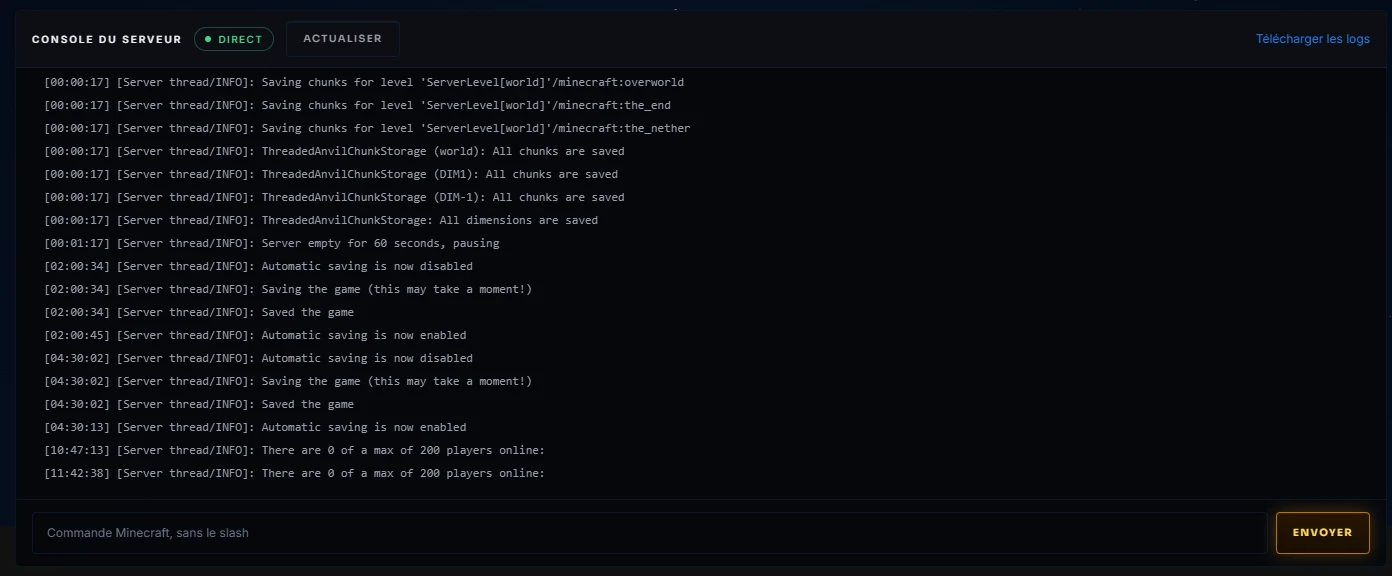
The Console page shows the log in real time, exactly as if you were standing in front of the machine. The field at the bottom sends commands to the server: list to see who is connected, op pseudo to make someone an operator, whitelist add pseudo to let someone in. No slash needed: type the command as is and send it.
Always within reach

The top bar keeps a shortcut to the console on every page of the panel: you are never more than one click away from the log. At start-up, give it a few dozen seconds: a modded server loading two hundred mods writes a lot before opening its doors.
When things go wrong
An error scrolling by too fast, a crash at start-up, a cryptic message? There is no need to go through the logs yourself: the McDoctor button on the Settings page reads the log for you and tells you what is wrong, with the steps to follow. The console shows you the facts, McDoctor explains them.