
The page Settings is the heart of the panel: it displays everything contained in server.properties, in French and in plain text, without ever asking you to open a file. Each setting has its own card, with an explanation and the current value. You change what you want, then a single button at the bottom of the page saves everything; a restart applies it all.
The installed version

The top banner tells you which engine is running your server: Vanilla, Paper, Forge, Fabric or a modpack, with its version number. Three buttons go with it. Update compares the actually installed version with the catalog and, if a newer one exists in the same family, swaps the engine after an automatic backup: your worlds, your plugins and your configuration are not touched, and the server restarts at the end if it was running. Change version opens the reinstallation page to switch from one engine to another. McDoctor, for its part, opens the diagnosis, we will come back to it below.
Server identity
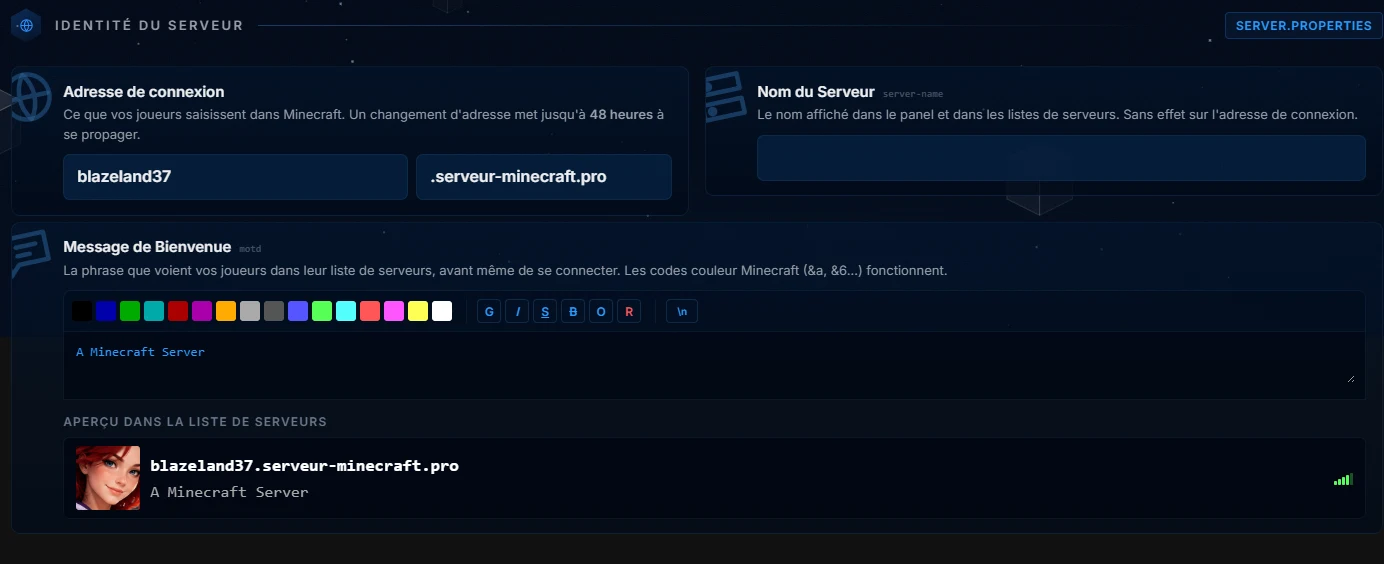
This is where your server gets its public name: the address your players type in, and the MOTD, that colored line that appears in their server list. The editor handles Minecraft colors and styles with one click, and the preview shows exactly what players will see, avatar included. No need to know the § codes: the palette writes them for you.
Server settings
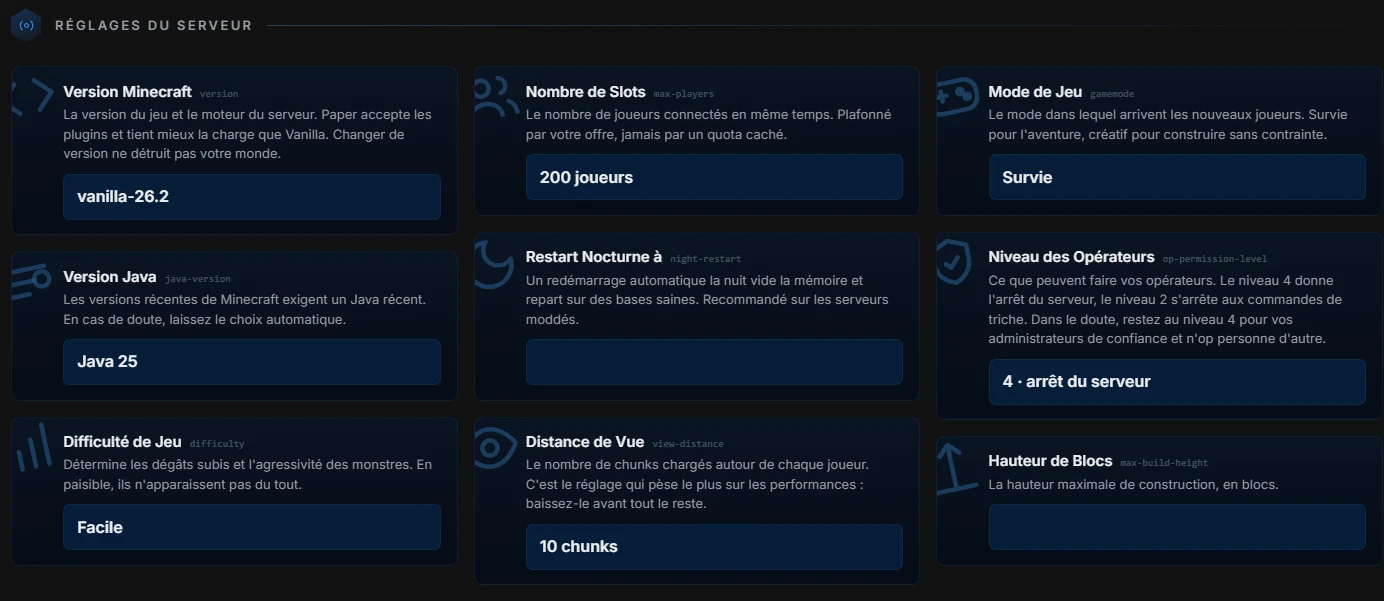
Each card shows the setting name, its key server.properties in small type, and an honest explanation. A few markers that avoid bad surprises. The number of slots is capped by your plan, never by a hidden quota. The view distance is the setting that has the biggest impact on performance: if the server struggles, lower it before changing anything else. The operator level decides what your administrators can do; when in doubt, stay at level 4 for trusted people and do not op anyone else. Finally, the nightly restart clears memory every night and starts again from a clean base, recommended on modded servers.
World options
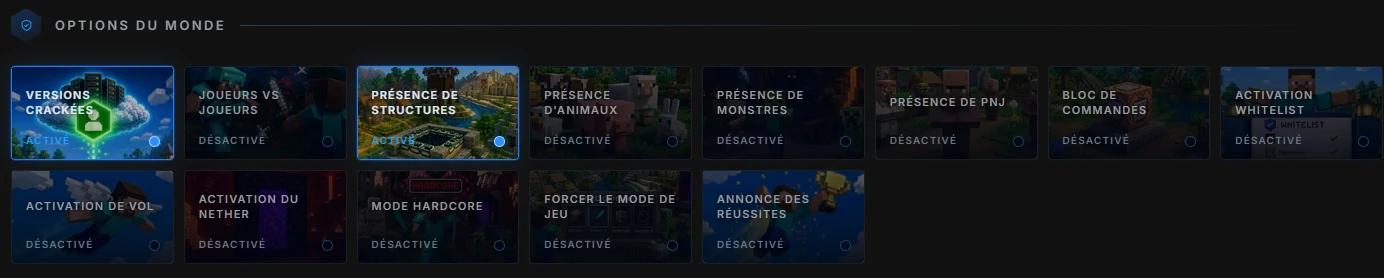
The boolean values in server.properties become tiles you switch on or off: cracked versions, player versus player, structures, animals, monsters, NPCs, command blocks, whitelist, flight, Nether, hardcore, forced game mode and announce achievements. A blue tile is active, a dark tile is not, the state written under the title removes any ambiguity.
World settings
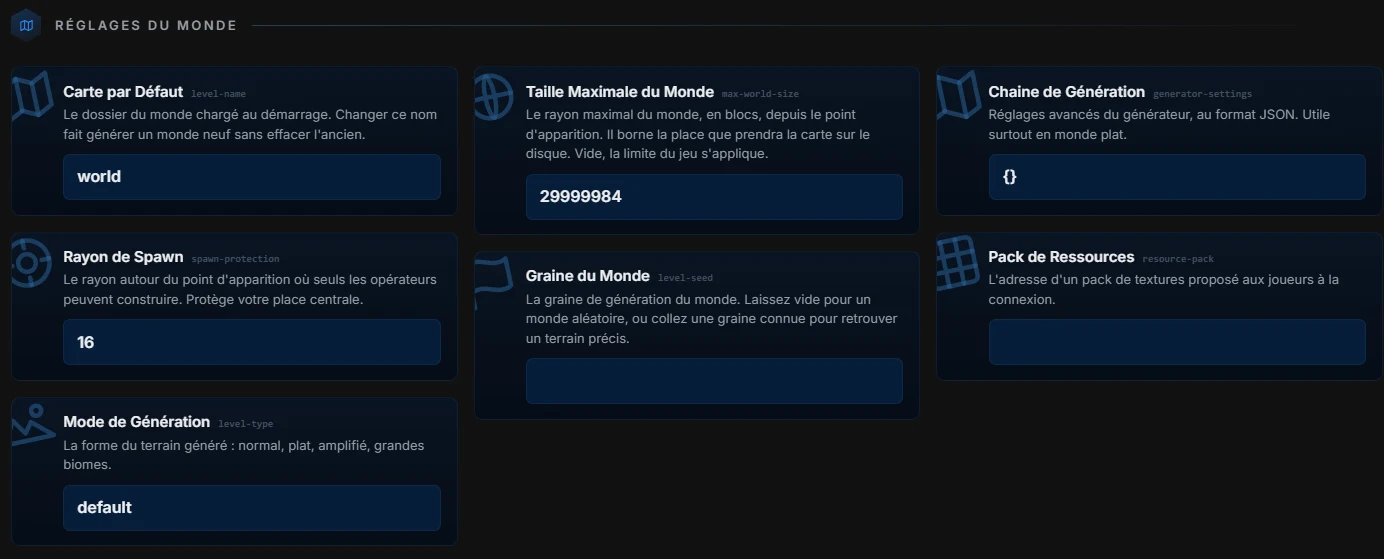
The generation seed, the world type, the maximum map size, spawn protection and the resource pack forced on players live in this block. The seed only applies to the next world generation, changing its value does not regenerate anything until you create a new map from the Maps page.
Protocols
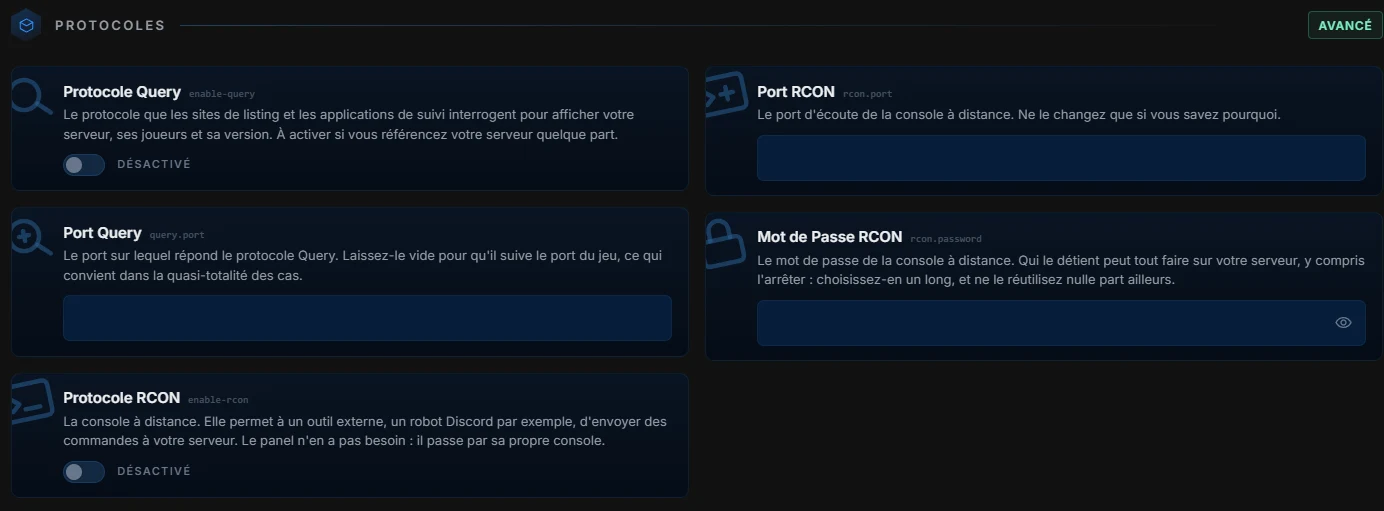
Query and RCON are closed by default, and that is a good thing. If a ranking site or an external tool asks for query, enable it here, the panel chooses a port and writes it for you. Same for RCON, with a generated password. Open these protocols only if something requires them, and close them again when they are no longer needed.
Advanced configuration
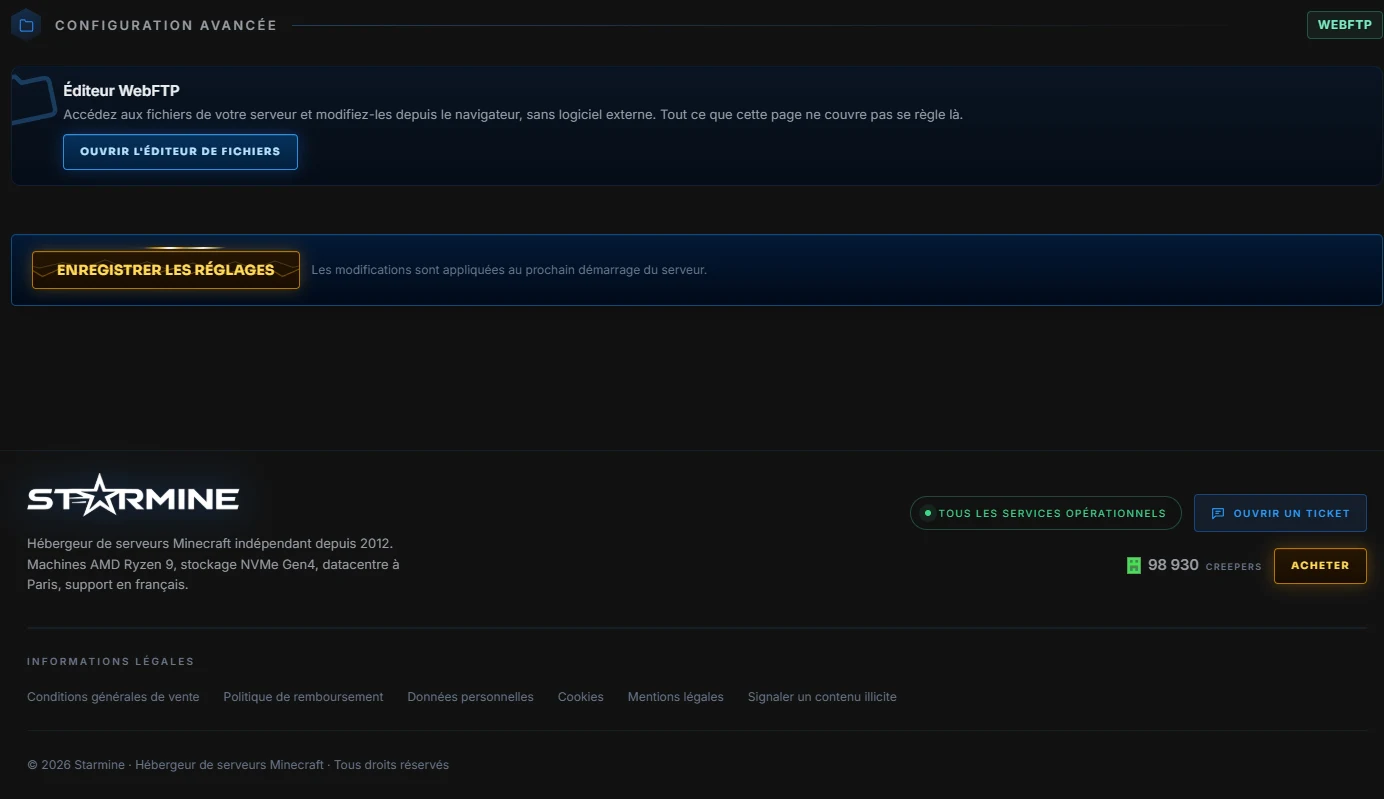
Anything without a dedicated map remains accessible, the free text field accepts a line propriety=value and writes it to server.properties as if you had done it by hand. It is the exit door for exotic settings in a modpack or a plugin, without FTP.
McDoctor, built-in diagnostics
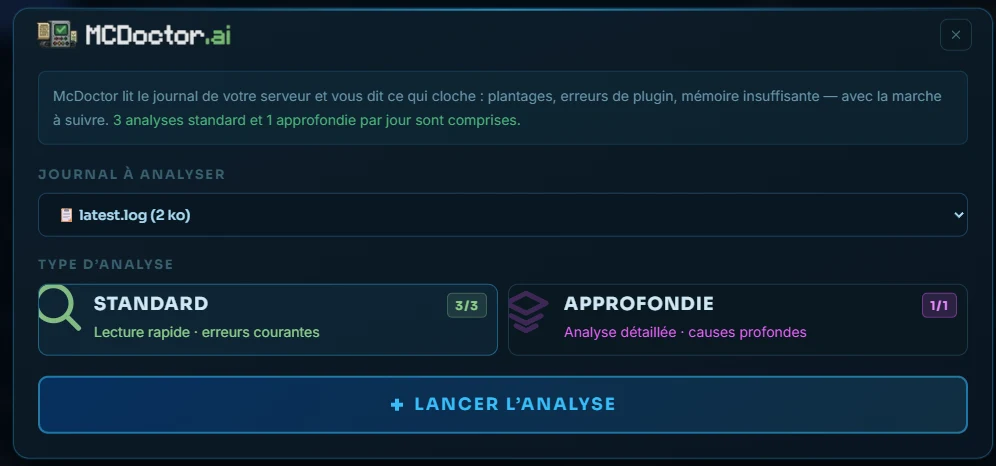
The server crashes, a plugin is screaming in the logs, memory is overflowing? The McDoctor button in the banner opens our diagnostics tool, it reads your server log and tells you what is wrong, with the steps to follow. Choose the log, the type of analysis, and let it read. Three standard analyses and one in-depth analysis per day are included in your plan.
And everything is saved with one button
No map writes anything until you click Save at the bottom of the page, you can browse safely. After saving, a restart applies the changes, the panel offers it to you at the right time. And if you prefer to have it shown live, the Guided tour button at the top of the page replays each section, exactly in the order of this article.