
On a Steam server, the Settings page brings together the essentials: the game version and its update, the live console, and the settings exposed by the game. The header and tabs remain those of the panel you know, only the content adapts to the game.
Game version and update

The card shows the installed Steam build and its status. Update first queries the game machine and compares the installed build with the one offered by Steam :
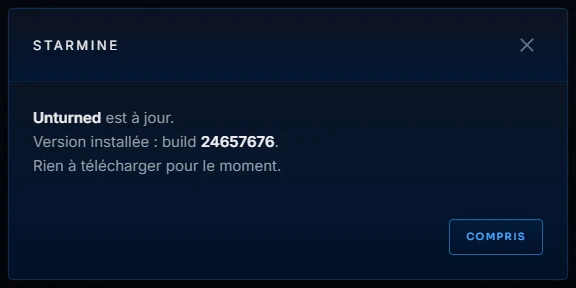
the window shows you the result, and nothing starts without your confirmation. The Auto-update switch in the settings does even more: the game updates itself at startup as soon as a new version is released. Reset, on the right, reinstalls the factory game: this is the last resort, back up before doing it.
The live console
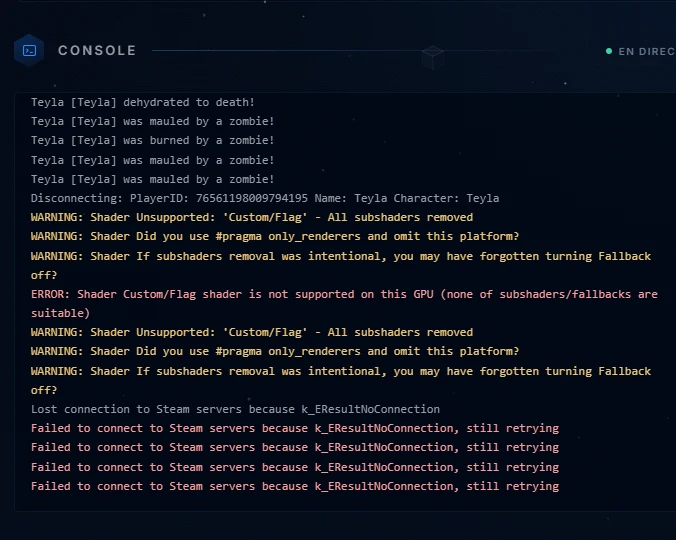
The server log scrolls in real time: connections, errors, game activity. Depending on the game, an input field accompanies the console; some, like Unturned, do not accept any command through this channel and the panel says so clearly: everything is then configured through the game settings, followed by a restart.
Game settings
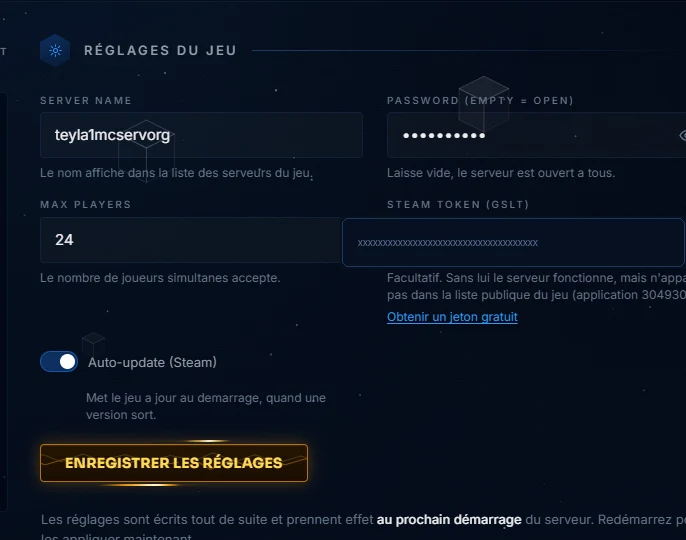
Each game exposes its own fields: server name, password, number of players, and for some a specific token, like the Steam Token (GSLT) that makes your server visible in the game's public list; the link below the field takes you to where you can get it for free. The settings are written immediately and take effect at the next startup : restart to apply them.