
A Paper, Spigot, or Bukkit server is customized through its plugins, and the panel turns it into a catalog action, search, click, it is installed. If your server is still running in Vanilla, first go to the Version page to switch to Paper: plugins need an engine that supports them.
The catalog
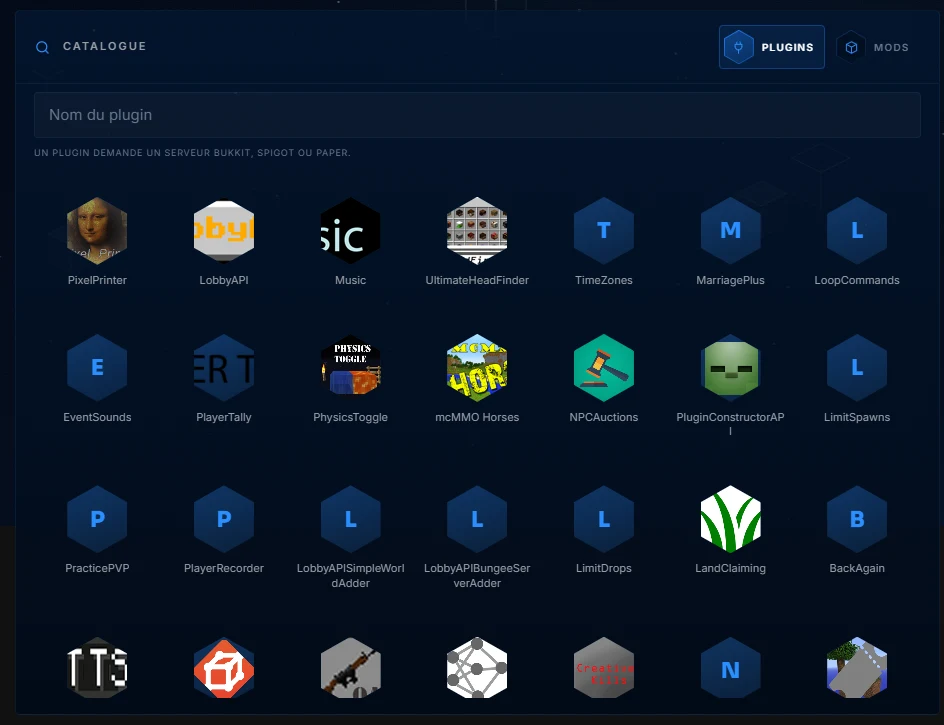
More than 17,000 entries, searchable by name. Each entry installs the plugin in the right folder, in a compatible version. One practical tip, install few, and one at a time. Dropping ten plugins at once means you no longer know which one breaks the server at the first restart, one at a time, the culprit reveals itself.
Installed plugins

The right column lists what is already in place. Each plugin can be enabled, disabled, or deleted with one click, disabling keeps the file and its settings but no longer loads it, the perfect tool to isolate a faulty plugin without losing anything. Deletion removes the file.
A plugin added manually is still possible, just drag its .jar into the plugins folder via the file editor or SFTP, then restart. After each change, a look at the console confirms that everything loads correctly.