
A server is rarely managed alone, and sharing your password is the worst way to get help. The Access page does better, it invites another Starmine account onto your panel, with exactly the pages you choose.
Invite and set limits
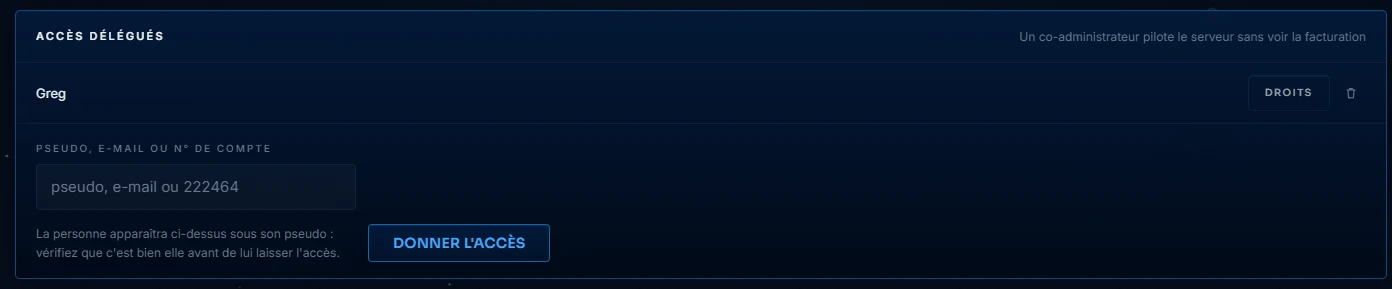
Add the username or email address of a Starmine account: it will then see your server appear in its own menu, and will only access the pages you tick. Console for the person hosting the event, Plugins and Maps for the technical builder, Backups for the trusted person: each box is a right, no more and no less. Your password never leaves your head.
What stays yours
Some pages cannot be delegated, and that's intentional: purchases, plan changes and this Access page itself remain with the owner. A co-admin therefore cannot spend money, invite someone else, or grant themselves rights. Removing access is immediate: untick it, or delete the line, and the person will no longer see your server.
The right reflex: give little at first, expand when trust builds. A right can be removed in one click, one mistake too many takes longer to fix.