
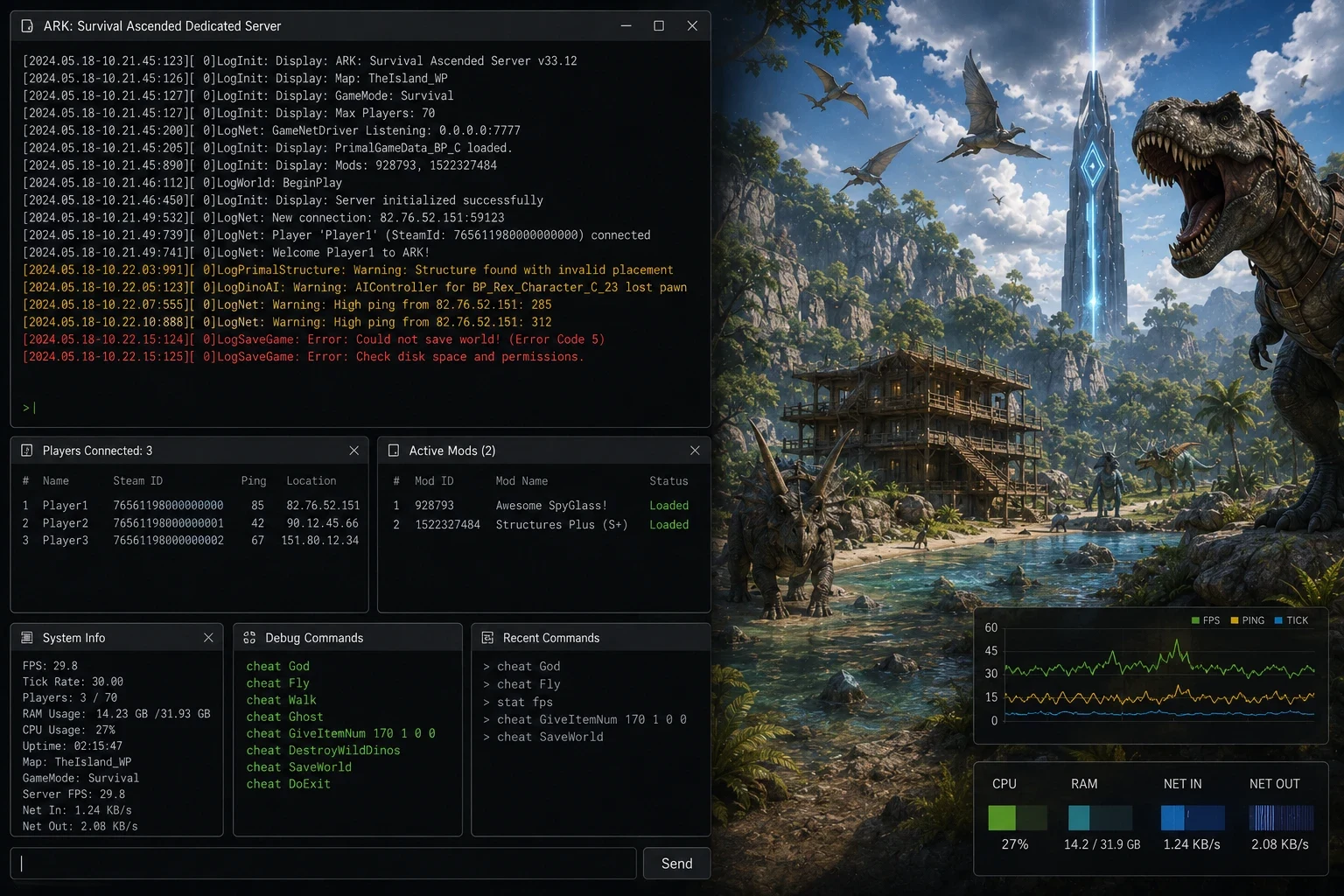
The window stays on three lines, then the server goes back to starting after 20 to 60 seconds. Diagnosis is done in the console and in the server log, not by typing commands into it. Identify the most likely cause, fix it, then restart once to check.
Classifying the causes when an ARK server does not start
An ARK server that keeps restarting does not always leave a readable error. On ARK: Survival Ascended, startup launches the binary, reads the settings, contacts Steam, prepares the mods, then loads the map. If it stops before opening ports 7777 UDP and 27015 UDP, the world save is rarely the cause. Look first at the configuration, then at the machine environment.
The console is for reading. Not for controlling yet. As long as RCON is not listening, often on port 27020, typing saveworld, broadcast or quit changes nothing. Open the displayed lines and the file ShooterGame/Saved/Logs/ShooterGame.log. The last block before the return to starting status matters more than the previous 200 lines.
| Rank | Cause | Visible sign | Threshold that becomes bad |
|---|---|---|---|
| 1 | Empty administrator password | Very early stop, before map loading | Empty value or one made of spaces |
| 2 | Invalid mod ID | Block during the mod phase, then crash | A single wrong ID is enough |
| 3 | Steam update in progress | Locked files, version changing | Download not at 100% |
| 4 | Insufficient memory | Process killed without a readable ARK error | Less than 12 GB free for modded ASA |
| 5 | Advanced argument copied incorrectly | Launch line different from the template | A missing quote or separator |
Fix the empty administrator password
The most common failure often comes down to a forgotten field. An empty admin password blocks startup on some recent ARK setups, especially after an ASA migration, a reinstall, or automatic file generation. The server does not load the map. It exits before becoming reachable.
Diagnosis
Open GameUserSettings.ini, then check the [ServerSettings] section. The key ServerAdminPassword must not be missing. It must not be empty either, nor contain a space picked up during a copy and paste from a browser. The value ServerAdminPassword=123 may start, but it protects nothing. Three characters spread quickly, especially when a player posts them in Discord in the wrong channel.
Use 12 to 32 characters, with letters and numbers. Stay under 64 characters. Beyond that, the problem is often human: line cut off in a panel, character forgotten in a terminal, value copied incorrectly. Do not use quotes. Do not use a semicolon at the end.
Repair
- Stop the server, not just the process currently looping.
- Set the administrator password in the file or in the panel field.
- Save, then restart once.
- Wait at least 90 seconds before concluding. ASA can stay silent while TheIsland_WP loads.
Write this password in your team's vault. A panel change, a configuration reset, or an import from ASE sometimes resets this field to empty. It is the kind of detail that makes you restart the same server ten times for nothing.
Find an invalid ARK mod ID
A bad ID breaks startup more often than a truly broken mod. On ASA, the list goes through the argument -mods=, with numeric IDs separated by commas. On ASE, many servers still use ActiveMods in the configuration. Mixing the two methods often gives the same scenario: download, wait, download again, then a loop.
Diagnosis
Look at the last mod mentioned before the stop. A CurseForge ASA ID often has 6 digits. A Workshop ASE ID often has 9 or 10 digits. This rule does not replace the mod page, but it quickly spots a copy and paste taken from the wrong game. A trailing comma, for example 928793,929110, creates an empty entry. Remove it.
Test with a short list. Keep the map and remove all the mods. If the server starts in less than 3 minutes without them, the problem is in the list. Put back half of the mods, then the other half. With 20 mods, you find the culprit in 5 tries instead of starting 20 restarts in a row.
Clearing a mod cache deletes the mod's downloaded files on the server. You do not lose the map save if you do not touch the save folder. Never delete a world directory to fix a mod error.
Copy the ID from the official mod page, not from an old Discord message or from another server's list. After removing a mod, check the engrams and structures tied to that mod. Some disappear on the next load, and the server will not ask you for confirmation.
Wait for or restart a stuck Steam update
Steam comes right after, especially on patch evenings. ARK: Survival Ascended Dedicated Server uses app ID 2430930. ARK: Survival Evolved Dedicated Server uses app ID 376030. Starting the server while Steam is still writing its files produces inconsistent errors. Sometimes, it produces nothing useful.
Diagnosis comes down to elapsed time and file status. An ASA update can download 2 to 8 Go. On a disk that is already busy, validation takes 5 to 20 minutes. As long as the download is not 100% complete, do not restart the server in a loop. You do not save time. You mainly increase the risk of a partial file.
If you manage it over SSH, check that no Steam process is still running. Then start a clean validation:
steamcmd +force_install_dir /home/ark/server +login anonymous +app_update 2430930 validate +quitFor ASE, replace 2430930 with 376030. Do not run a validation every 10 minutes out of habit. It rereads a lot of files and delays the return online. Do it after a crash during an update, after a forced stop while Steam was running, or when the log mentions a missing file in the server binaries.
Keep a 15 minute maintenance window after major patches. Players accept a restart announced at 21:15 better than four false starts at 21:00 with the console going back to the beginning.
Recognize an ARK ASA crash caused by lack of memory
Memory is rarely low on a small clean ASE. It is often low on ASA with several mods and a heavy map. A mod-free ASA server commonly needs 8 to 10 Go at startup. With 10 to 20 mods, plan for 12 to 16 Go free. Beyond 30 mods, 20 Go is no longer surprising. If the machine also hosts a database, a voice bot, or another game, those gigabytes are already in use before ARK starts.
Diagnosis
The classic sign is not a nice ARK message with the cause written in it. It is a process killed by Linux. The panel may show exit code 137. The console may stop after loading libraries, without Fatal error. On a Linux machine, look for the OOM killer:
dmesg -T | grep -i "out of memory|killed process"If a line mentions ShooterGameServer or ArkAscendedServer, the cause is found. Adding a mod or going from 8 to 12 players does not double memory, but the startup spike remains the hardest part. A server can die at 14 Go used for 40 seconds, then seem reasonable once it is running.
Fix
Free up RAM before restarting. Stop other services, reduce the mod list, or increase the memory plan. Swap can save a short spike at startup, but a server that is running in swap responds badly. If you see several seconds of freezing during autosaves, the machine is already too tight.
Clean up a badly copied ARK advanced argument
The last case is less common, but it eats up an entire evening. An ARK launch line accepts a lot of parameters. It does not accept typographic quotation marks, hidden line breaks, spaces slipped into the middle of the map URL, or options copied from ASE to ASA without checking.
Start again with a short line. Map, session name, ports, server password if needed, nothing else. The marker ?listen stays attached to the map. Parameters with a question mark are chained in the launch URL. Parameters with a hyphen go after that. Mixing the two families does not always break startup. When it does, the message rarely indicates the faulty character.
Check the ports. The game port 7777 UDP, the query port 27015 UDP and the RCON port 27020 TCP must not be reused by another server. A port conflict sometimes gives a line such as bind failed or address already in use. If two ARK instances are running on the same machine, offset at least the game port and the query port for the second instance.
Fix it by removing, not by stacking. Delete the advanced arguments added since the last successful start: forced crossplay, BattlEye, cluster parameters, map override, log options. Restart. When the server stays up for 2 minutes and opens its ports, add back one argument at a time. An argument copied from a 2020 tutorial is no match for an up to date ASA binary.
Prevent the next restart loop on ARK restart
The best prevention is still a written record. Keep the last launch line that starts, the mod list with their IDs, the server version, and the date of the last Steam patch. A 15 line note avoids searching at 23 h 40 whether mod 929110 was already present the day before.
Before a planned restart, check five points. The administrator password is not empty. The mod list contains neither duplicates nor a trailing comma. Steam is not updating. The machine keeps at least 4 Go of memory headroom after the other services. Ports 7777 UDP, 27015 UDP and 27020 TCP are not assigned to another instance.
On the panel Starmine, the administrator password field, the mod list and the Steam update status avoid retyping these values by hand for this specific check. The console stays in the same place, with the latest restarts visible.
Also keep two world backups outside the active folder. One every 6 hours is enough for a small community. Keep 7 days of server logs. Beyond that, compress or delete the old files. Otherwise, you end up diagnosing a Sunday crash with a Thursday log. A useful ARK server log starts at the last failed launch and ends at the process exit line.
Guides
Why can't I type anything in the ARK console at startup?
The startup console shows the server output. It is not yet an interactive game console. Administrator commands go through RCON when the server has finished loading and is listening on its port, often 27020. Before that, you read the messages and the logs.
Can an ARK mod completely prevent the server from starting?
Yes. A single invalid ID, a mod removed from the platform, or a badly separated list can make the server loop. Test without mods, then add back half the list to isolate the culprit quickly.
How much RAM is needed for ARK: Survival Ascended?
An ASA without mods often runs around 8 to 10 Go at startup. With about ten mods, aim for 12 to 16 Go free. If Linux kills the process with an exit code 137, the available memory is not enough.
Does Steam verification delete my ARK save?
No. A Steam verification repairs the server files and should not erase your world. It can replace binaries, libraries and files installed by Steam. Still back up your world before a long maintenance or a version change.